
The operating system for flight operations.
Safety is an attitude — it shows in how an operation is run. AVIATOS One lets you manage your Ops on one platform, from customer request to invoice: every flight planned, crewed within the limits, briefed, documented and closed. Safe and efficient — one record for everything, entered once and used everywhere.
In operational use since 2009 — completely remastered as AVIATOS One
One login, one source of truth.
The same flight record carries through planning, crew assignment, compliance, the logbook and the invoice. Nothing is entered twice.
Before
A dozen tools that don't speak to each other. Duty limits in a spreadsheet, documents in a shared drive, billing somewhere else entirely.
With AVIATOS One
From customer request to invoice, on one record. Compliance is computed on the server, not maintained by hand — and every report draws from the same data.
- schedule & timeline
- crew & duty limits
- documents & expiry
- dispatch & briefing
- logbook & reports
- cost & invoice
Plan
Request, quote, aircraft and route — on the schedule and the timeline.
Crew
The roster assistant marks who is eligible, who is a caution, who is excluded — with the reason attached.
Fly
Briefing, aircraft acceptance and dispatch — offline on the crew's phone. Changes to the flight reach the crew and are listed on the flight.
Record
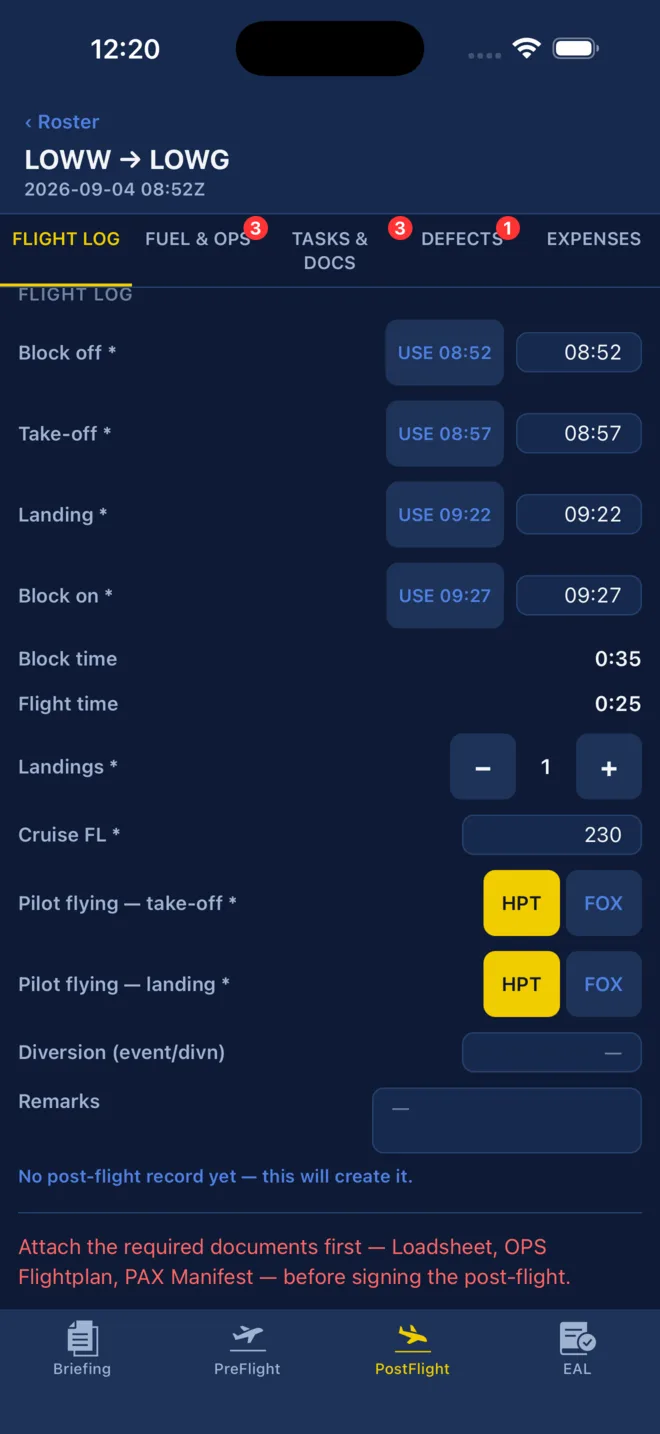
Post-flight fills block and flight time and checks that they add up, taxi included; the logbook follows automatically.
Bill
Cost report and invoice come out of the same flight, not a second entry.
Engineered into the core, not bolted on.
Duty limits, recency, cosmic radiation and the electronic aircraft log are part of how the system records a flight — not a report someone assembles afterwards.
Flight duty & rest
Duty periods, minimum rest and acclimatisation computed per crew member, visible in the calendar while the flight is still being planned.
Recency & ratings
Landings, type ratings and airport qualifications — category B and C — tracked per pilot, with expiry watched for you.
Cosmic radiation
Per-flight dose and the yearly total, recorded without anyone maintaining a second list.
Electronic aircraft log
Tech log entries, defects and the nil-defect confirmation by the commander — viewable and shareable as PDF.
If a figure appears on a report, it was computed from the flight record — not typed in.
Your crew works offline, on iPhone and iPad.
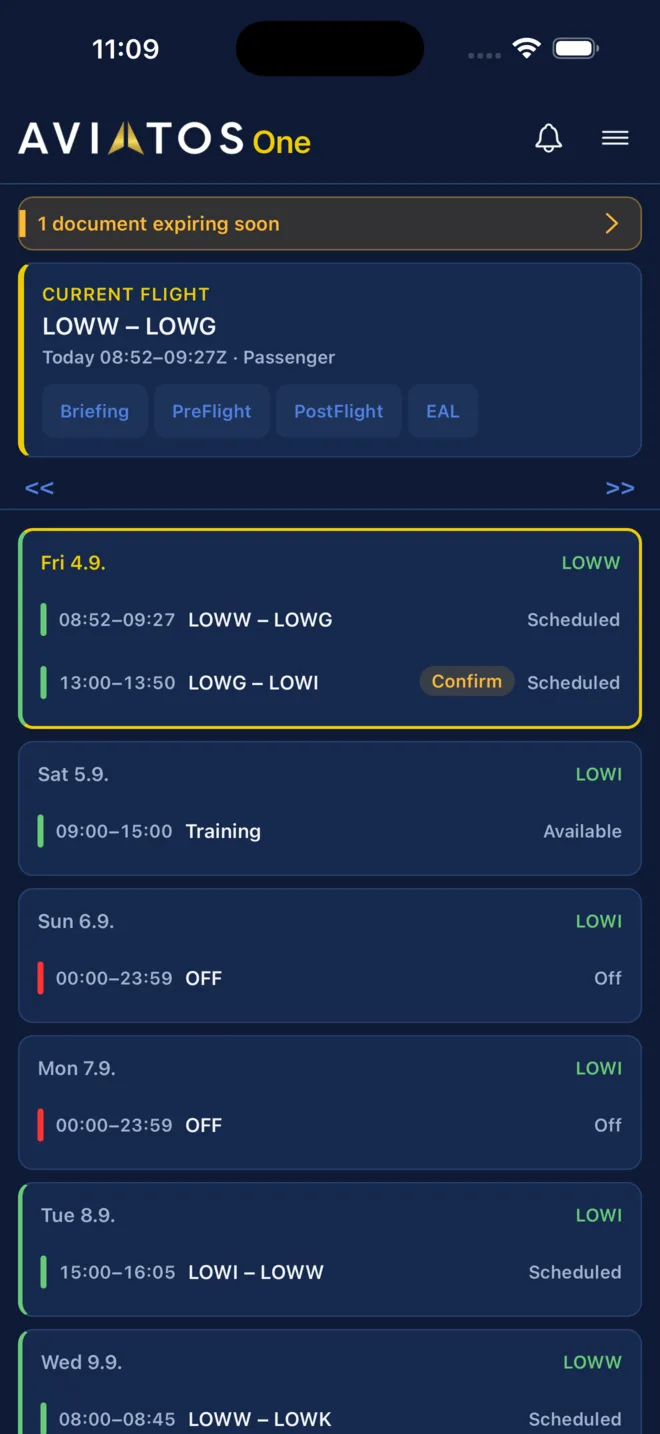
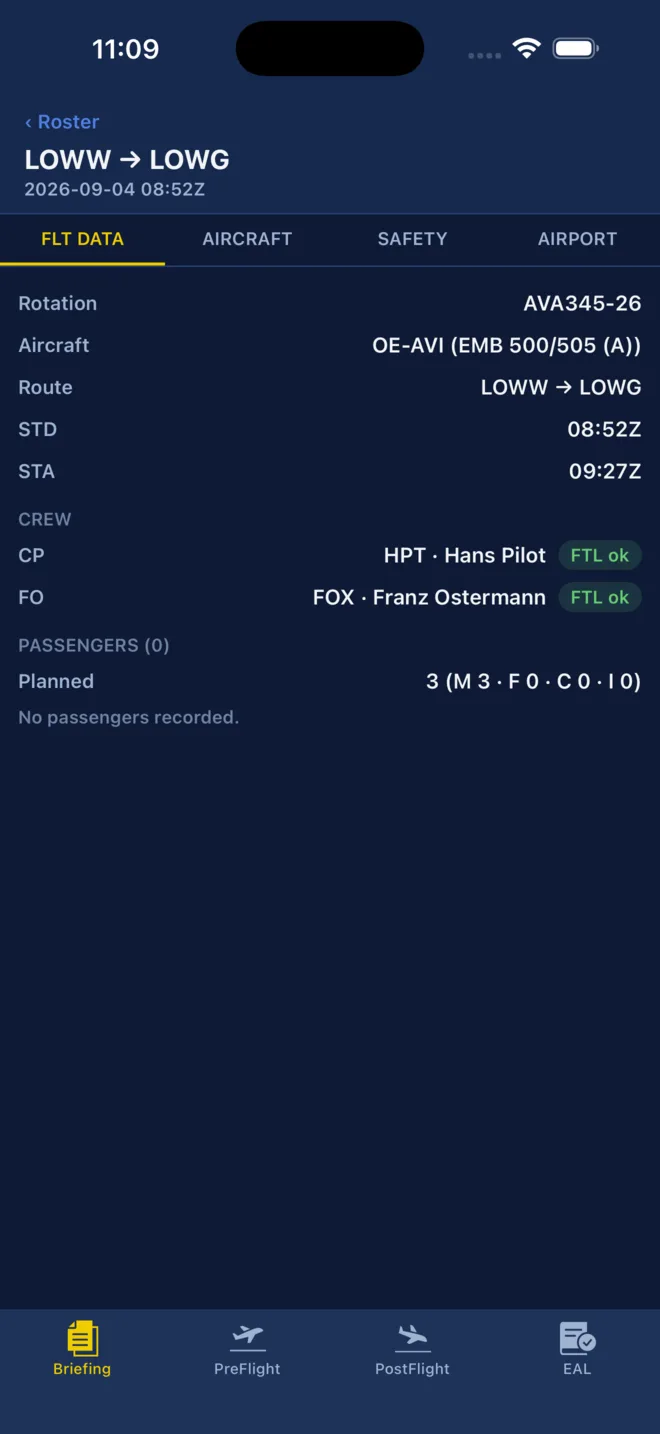
The real turnaround happens on the phone. Home shows the seven-day agenda. Open a flight for the briefing — weather, airports and a server-computed duty status. Accept the aircraft before departure. After landing, post-flight fills block and flight time, asks the commander to confirm there were no defects, and won't let you submit until the mandatory documents are attached. Operational notices arrive as OpsNews, in the browser and in the app; must-read articles are confirmed, not just delivered.
Offline-first · notifications switchable per type and channel · operational messages always get through

Connected to the tools your operation already runs on.
One flight record feeds your flight planning, your passenger filing and your pilots' own tools — entered once in AVIATOS, used everywhere. Every integration below is live in AVIATOS One today.
ForeFlight Dispatch
Flights, crew and changes go to ForeFlight; CTOT, fuel figures and the briefing document come back to the flight.
ba.foreflight.comPPS Flight Planning
Flight-plan figures and the full briefing package read from PPS into the flight.
ppsflightplanning.comAviapages
Charter quotes enriched with pricing and fee data, and optionally with route and flight time.
aviapages.comPnrGo
APIS and passenger data from the flight's passenger list, sent to PnrGo for filing with the authorities.
pnrgo.comMovement messages (MVT)
Off-block, take-off, landing and on-block times, as far as the message carries them, read from the MVT messages your handling agent forwards.
Aviation weather (NOAA)
METAR and TAF kept current for the airports of every upcoming flight, checked every twenty minutes.
aviationweather.govNextcloud
Your operations manuals from your own Nextcloud, read-only in the system and in the app.
nextcloud.comLogTen Pro
Completed flights handed to LogTen in one tap, and the pilot logbook as a CSV export for LogTen import.
logten.comCalendar subscription (iCal)
Your duties, and the schedule of the aircraft shared with you, in Apple Calendar, Google Calendar or Outlook — per-user token, revocable.
Integrations are configured per operation. Where a partner requires it, the connection runs on the operator's own account with that partner.
From an owner-pilot to a full AOC.
The same platform, scoped to what you actually operate — from a single aircraft to a management company running several operators on one system.
Owner-operated aircraft
A lean, focused version: one page to record a flight, and the logbook and cost report follow by themselves.
- Quick Flight — a single page
- Logbook & flight-log reports
- Cost factors per aircraft
Several owners, one aircraft
Several aircraft, several pilots, real bookings — with the cost side that goes with them.
- Reservation calendar & timeline
- Trip quotes and invoicing
- Crew documents and expiry watch
Commercial and AOC
The full toolkit: the supervisor's daily command view, dispatch integrations, and the compliance records an auditor asks for.
- Supervisor dashboard & cautions
- ForeFlight, PPS, PnrGo, APIS
- FTL engine with acclimatisation
Prices are published, not quoted on request.
Each package covers one aircraft and a number of users; further aircraft and users are added per unit. Operations with more than five aircraft are charged at a reduced rate.
- 1 aircraft
- 2 users
- Trip request
- AVIATOS One crew app
- Electronic aircraft log (EAL)
- Additional aircraft
- Additional users
- 1 aircraft
- 10 users
- Crew control
- Trip request
- AVIATOS One crew app
- Flight duty time assessment & report
- Airport qualification
- Electronic aircraft log (EAL)
- Cosmic radiation report
- Additional aircraft
- Additional users
- Reduced rate above five aircraft
- 1 aircraft
- 10 users
- Crew control
- Trip request
- AVIATOS One crew app
- Additional aircraft
- Additional users
- Reduced rate above five aircraft
Up to 20 aircraft per operation.
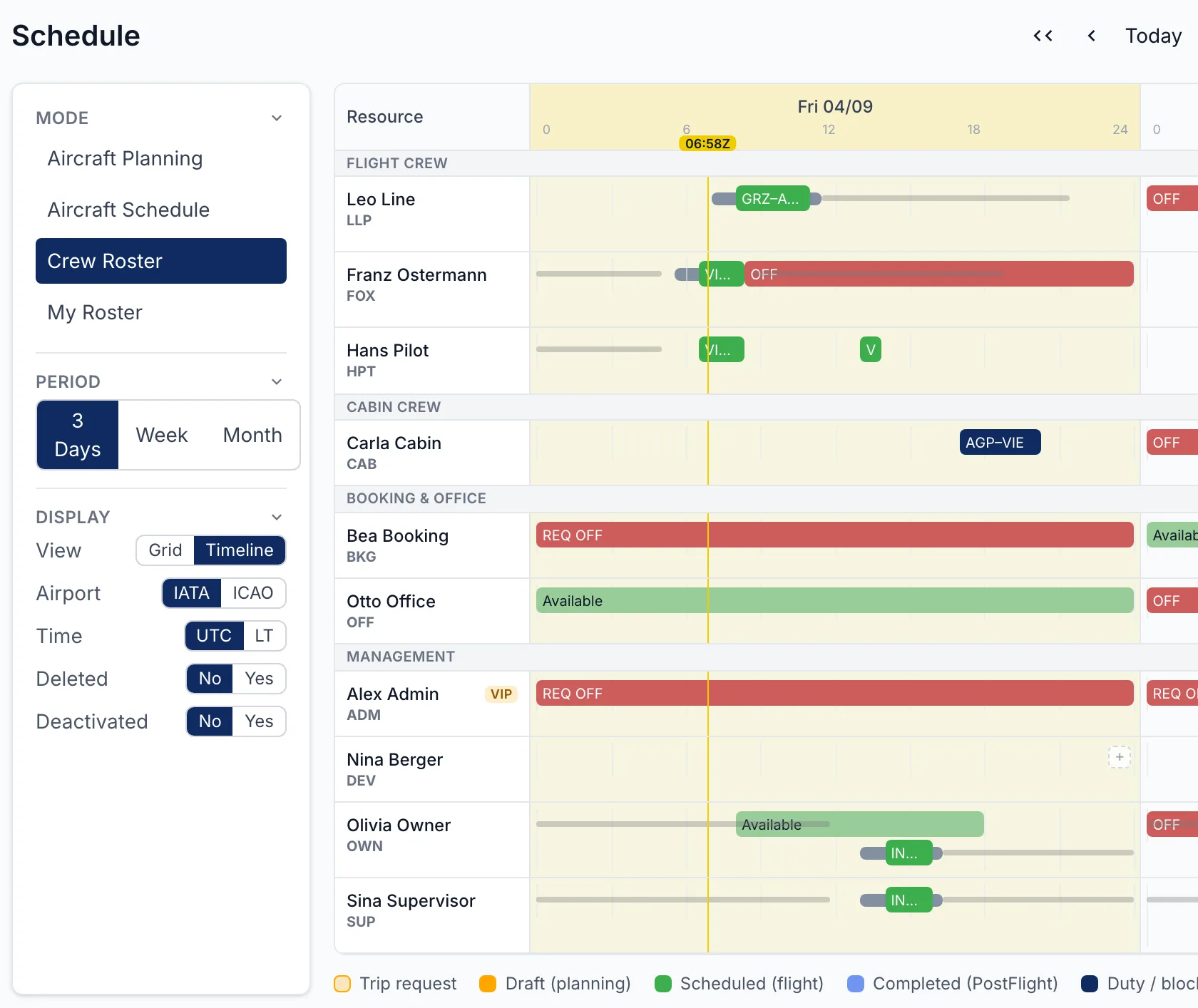
The system in use.
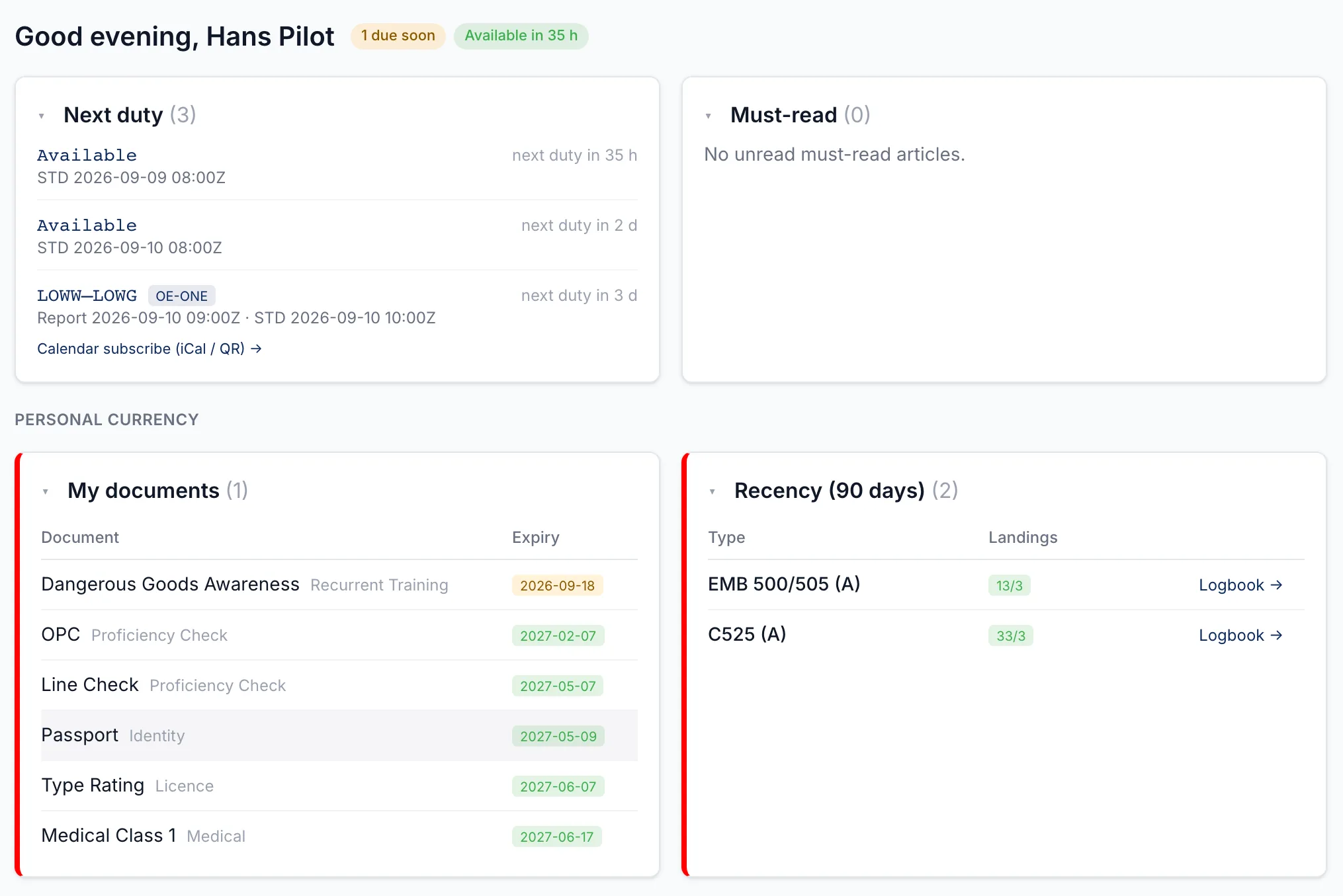
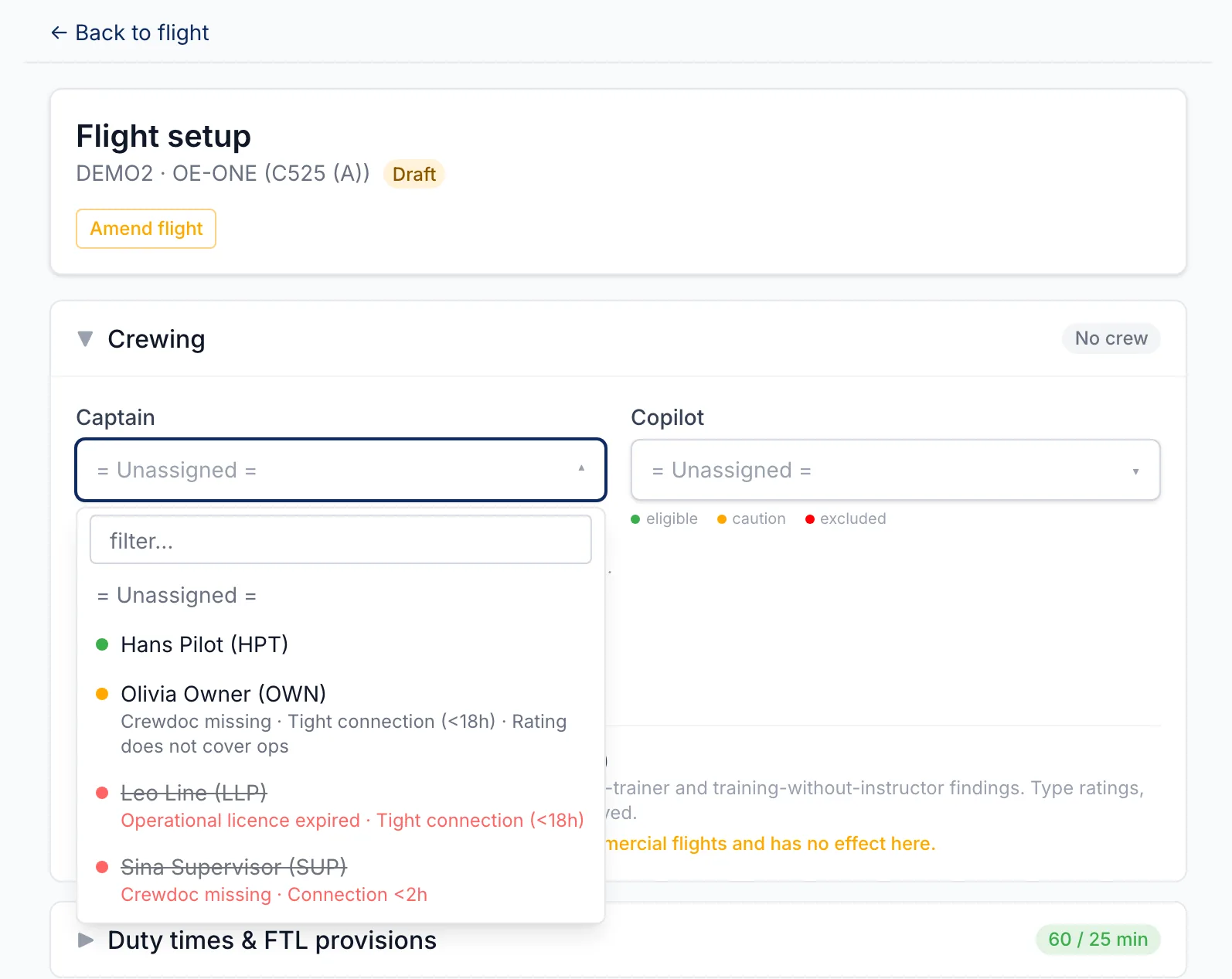
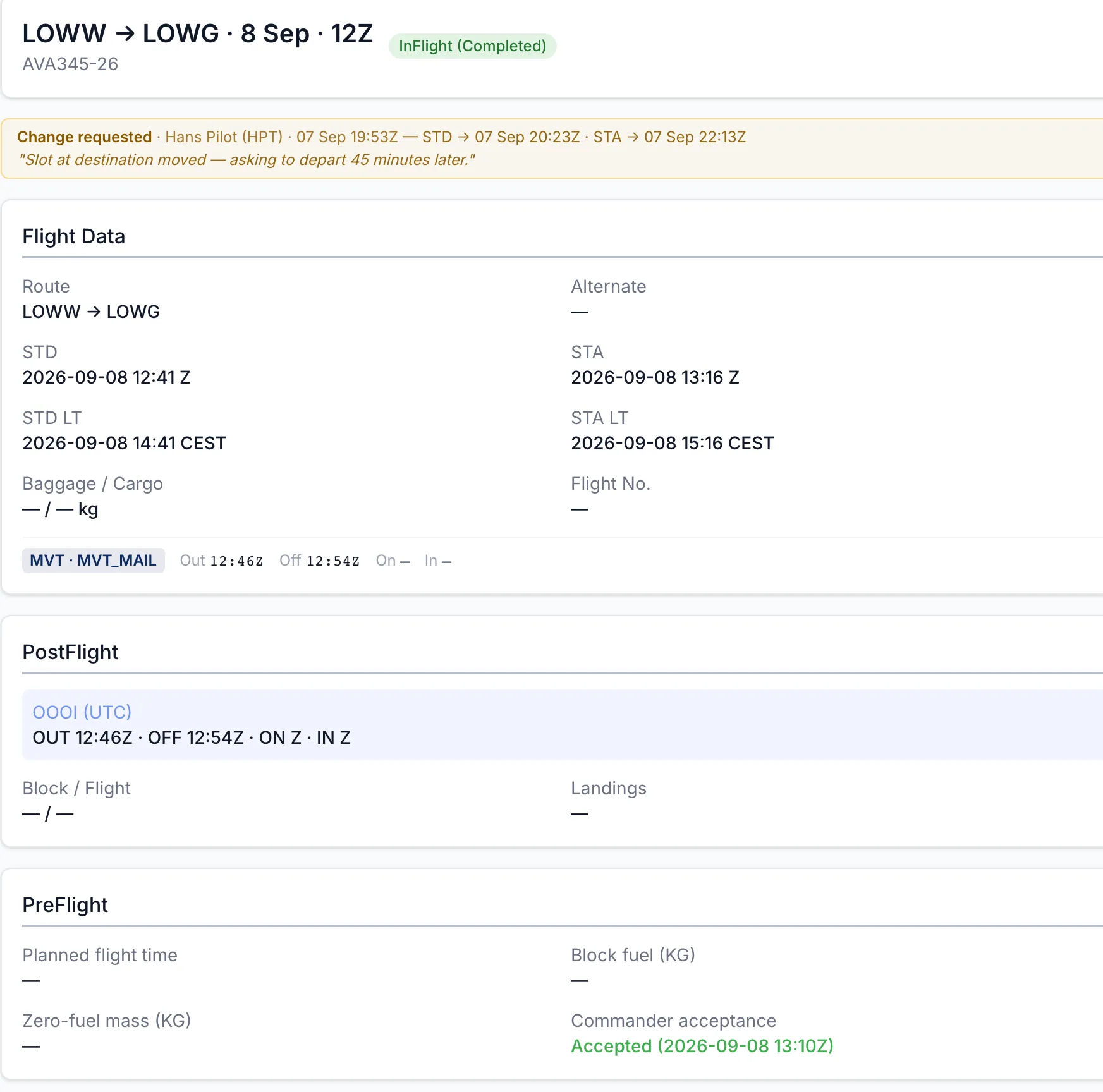
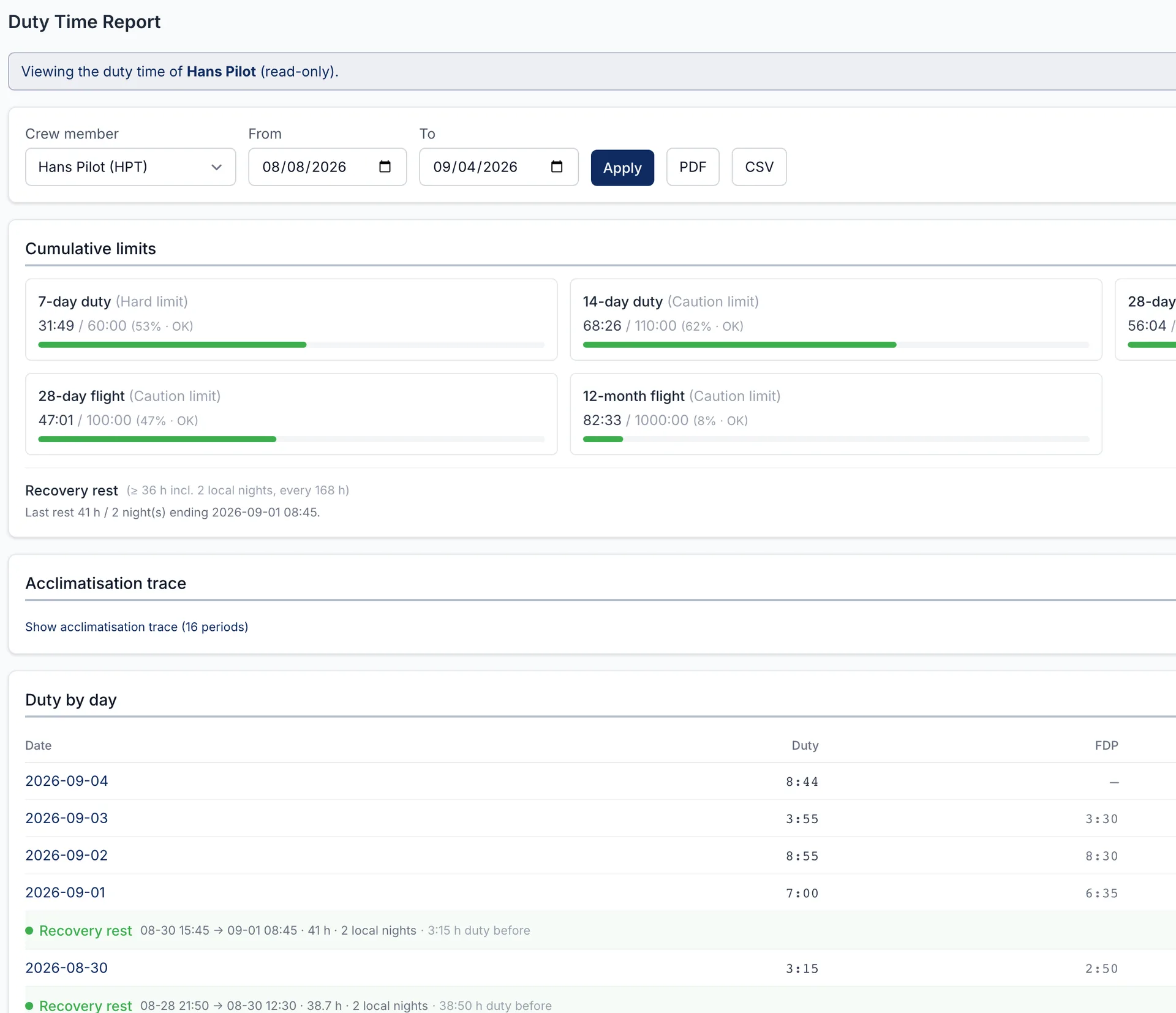
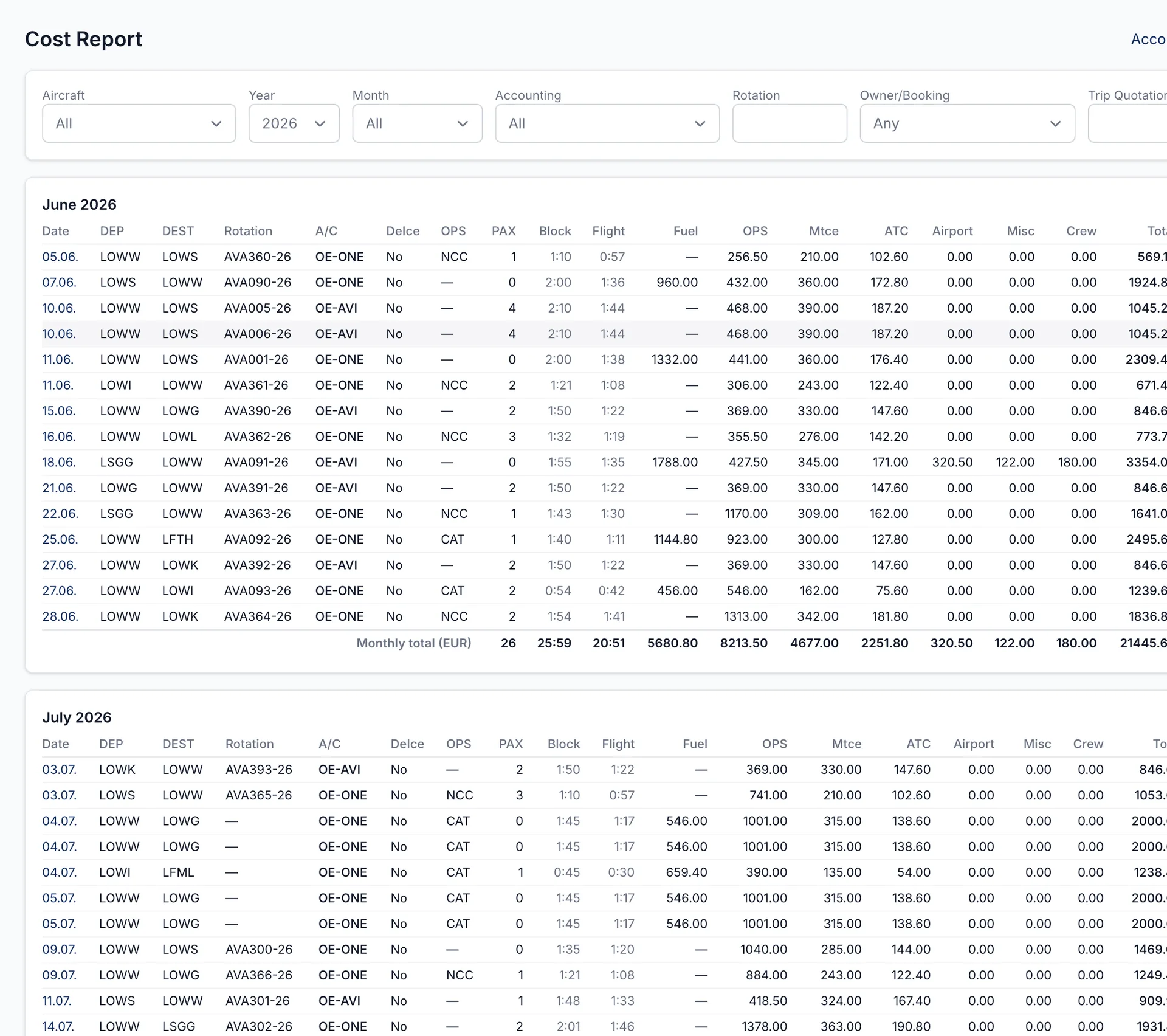
Captured from the running system on a non-production tenant — no customer data, neutral registrations.
Built from experience, shaped by the people who use it.
AVIATOS draws on what we know first-hand — executive and airline operations, aviation consulting — and on an open ear for the operators who work with it every day. They tell us how their day looks; what makes an operation safer or a day shorter goes into the product, and we are nimble enough to decide that quickly.
“We've used AVIATOS from the very start. From crew and aircraft records to the reservation calendar, it keeps all the information we need in one place.”
“We work with AVIATOS every day across several clients. Setting up and monitoring flights is straightforward, and the task stages keep every flight's status in view.”
“The document management for crew is what I use most. It's easy, flexible to our operational needs, and keeps expired records for full regulatory traceability.”
Where the data is, and who can reach it.
Crew records are personal data, and operational records are what an auditor reads. The usual questions about both have written answers — two assessment reports, available on request.
Dedicated servers in Germany at a European provider, under BSFOM's sole control; encrypted backups in a second data centre in Finland. Personal data does not leave the EEA.
Passenger travel documents and confidential attachments are stored encrypted at rest. Backups are verified daily against their full contents, and a full restore was run while production stayed in service — checked to the end: an encrypted document came back readable with the backed-up key, and with no other.
The platform is security-tested against a frozen scope — perimeter, transport, application, privileges, dependencies — on test data, without changing a record. What was found was hardening, not breaches, and it was fixed and retested. This is an internal assessment by BSFOM as the developer, not an independent third-party test; the report says so on its cover.
Both reports are confidential and go to customers and serious prospects on request, under a confidentiality undertaking: office@aviatos.at — see information security.
Documentation, guided setup, and a person to call.
A built-in knowledge base with a short guide for every screen, getting-started videos, training presentations and printable handbooks by role — and a person available who knows the system and air operations.
Knowledge base
Searchable from every screen, in the browser and in the app.
Getting started
Three guided tours — owner, administrator, crew — around three minutes each.
Guided setup
An ordered checklist takes a new operation from empty to operating.
Support
Questions are answered by the people who build the system — all of them active in flight operations.
A demonstration on your own operation.
On your fleet and your routes, about forty minutes. No preparation required, and no obligation.